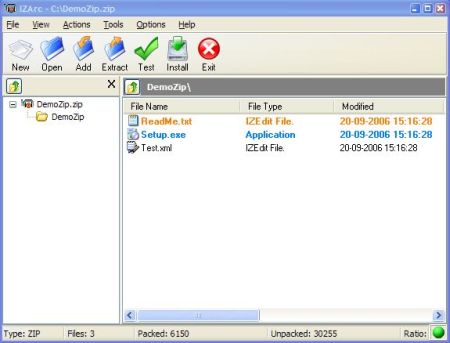
Utility supporting many archive formats like: 7-ZIP, A, ACE, ARC, ARJ, B64, BH, BIN, BZ2, BZA, C2D, CAB, CDI, CPIO, DEB, ENC, GCA, GZ, GZA, HA, IMG, ISO, JAR, LHA, LIB, LZH, MDF, MBF, MIM, NRG, PAK, PDI, PK3, RAR, RPM, TAR, TAZ, TBZ, TGZ, TZ, UUE, WAR, XPI, XXE, YZ1, Z, ZIP, ZOO. With a modern easy-to-use interface, IZArc provides support for most compressed and encoded files, as well as access to many powerful features and tools. It allows you to drag and drop files from and to Windows Explorer, create and extract archives directly in Windows Explorer, create multiple archives spanning disks, creating self-extracting archives, repair damaged zip archives, converting from one archive type to another, view and write comments and many more. IZArc has also build-in multilanguage support.
Main features of IZArc: Create an archive Add files to an existing archive Delete files from an existing archive Extract files from an existing archive Test an archive file Convert archive Convert CD Images Repair broken archive Searching for any files in many archives Favorite Folders Obtaining a detailed list of files and information like compression rate, path, or size from an archive file Supports both long and short 8.3 filenames Disk spanning from and to multiple diskettes or other removable media Implementing the possibility to sort the list items by name size, date and etc. Full Drag & Drop support CD/DVD Images support (ISO, BIN, MDF, NRG, IMG, C2D, PDI, CDI) Integrating in Windows Explorer context menu Automatic installation of most software distributed in archive files Add/View comments in an archive By double-clicking onto a file in the file list, it's opened with the program associated to this file type CheckOut feature Create a self-extracting archive E-mail an archive Checking for new updates Build-in multilanguage support Virus Scan feature UU/XX/MIME Encode/Decode Create Multi-Volume Set Merge Multi-Volume Set UnSFX (Convert self-extracting (SFX) .EXE files to standard archives) Encrypt files using Rijandael - AES (256-bits) encryption Zip encryption (WinZip 9 compatible) BZip compression for ZIP archives Decrypt (.ize) files